
Agenda At Once Free PIM - Features
|
Agenda At Once Free PIM combines the best aspects of other personal organizer applications. It's a complete PIM system, integrating to-do management, scheduling and planning, contact and note functions. In addition, it is easy to use and responsive, while being feature-packed but not power-hungry. With its optimally-designed interface, Agenda At Once Free PIM will rapidly put you in charge of your - or your team's - personal information. You'll be saving time and accomplishing so much more that you'll be wondering how you even managed without it. |
|
Top 10 reasons for choosing Agenda At Once
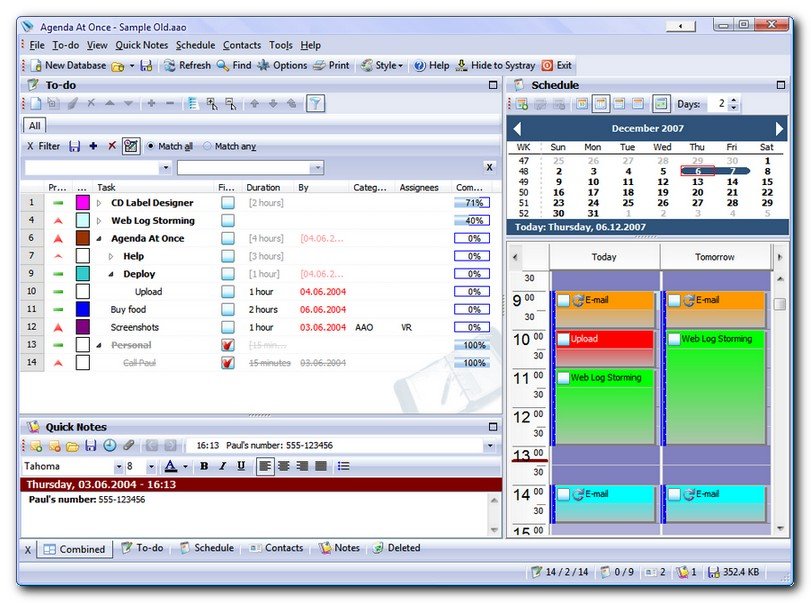
- Click any screenshot to display a larger version
- Click the
 icon to display the relevant topic from the help file.
1. Complete PIM
- To-do management
- Schedule and planner
- Contact list
- Rich text Notes
2. Business-like, easy-to-use interface
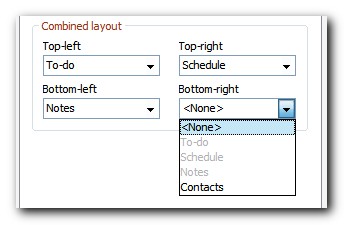
Personal information management (PIM) software is all about time-management: it is supposed to save you time. When we developed version 1 of Agenda At Once, ease-of-use was our primary design goal. With each new version, although we've added new features to make Agenda At Once a mature and feature-packed application, its ease-of-use hasn't been compromised.
Agenda At Once integrates to-do management, scheduling, planning, contact and note functions in one intuitive, combined view. It also allows you to focus in on any one of these functions with its configurable 'panes' interface. Agenda At Once will support whichever way you prefer to work.
3. Hierarchical To-do list
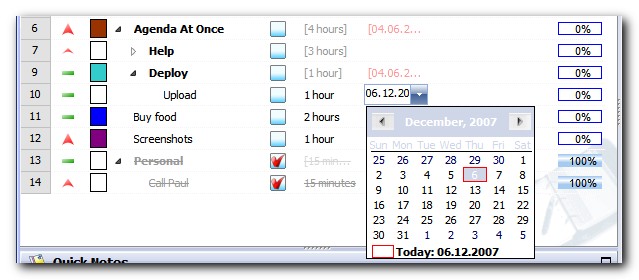
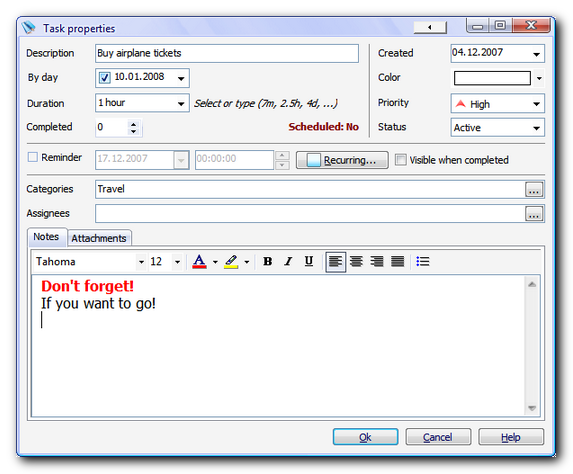
- Divide complex tasks to subtasks so you can tackle them one by one
- Easily move tasks by simple drag & drop
- Stop wandering through windows - edit data directly in the list (inline editing)
- Easily organize your data by categorizing (tagging) tasks
- Never forget who is in charge for a task - assign it to contacts
- Estimate durations so you can make more detailed plans
- Use a percentage gauge to mark tasks as partially completed
- For tasks with subtasks, view a percentage gauge of summarized completion
4. Schedule and planner
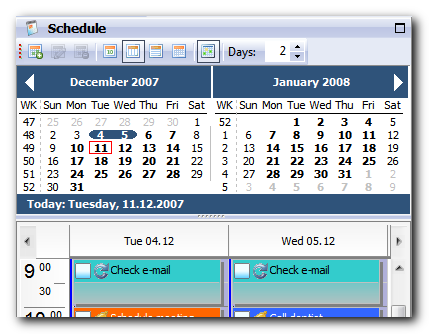
- Schedule or postpone tasks by dragging to and from the to-do list
- Get a quick overview by switching between daily, weekly or monthly views
- Make use of powerful recurrence options
- Organize appointments by category and assignee
5. Contact management
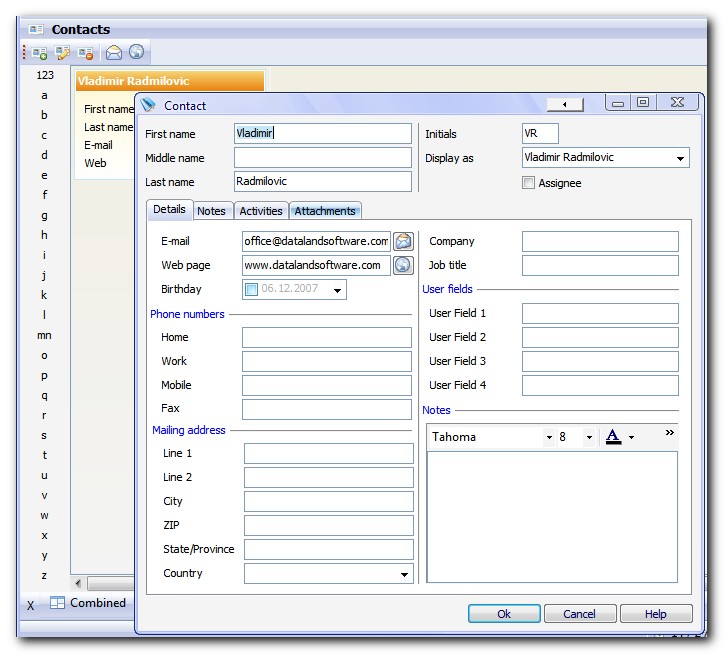
- Keep your contacts close - just a click or so away
- Send e-mails or visit web page directly from within Agenda At Once
- If the inbuilt list of fields isn't enough, add up to four custom fields
- Associate contact with tasks or appointments
6. Quick Notes
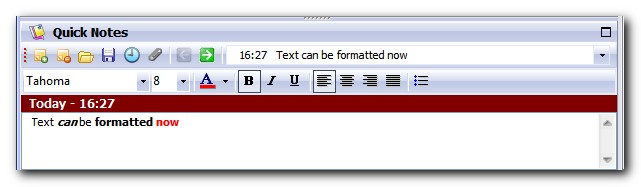
- Keep a record of any free form text
- Assign notes to tasks, appointments or contacts
- Don't miss important parts of text - use font formatting to emphasize them
7. Powerful savable filters
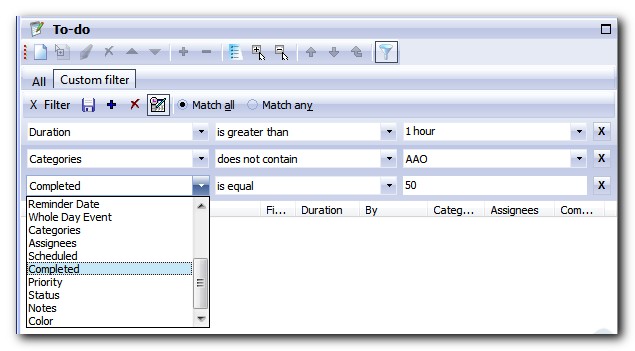
- Filter tasks relating to a specific time-frame
- Define multiple rules with reference to any of task's fields
- Save and re-apply filters simply by clicking tabs
8. Security and reliability
- Encrypt and password-protect your data
- Use the automatic backup feature for total peace of mind
9. Customization
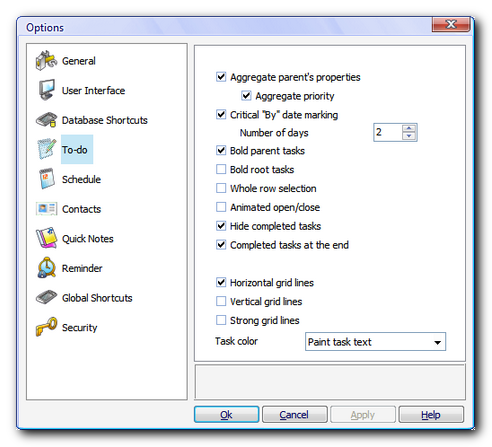
- Make Agenda At Once work the way you work with its extensive customization options
- Configure the layout of the combined view to reflect your preferences
- Speed up work by customizing toolbar buttons
- Change keyboard shortcuts
- Adjust the appearance of the to-do list, column visibility and order - to reflect your preferences
10. Other important benefits
- Stop stressing your computer: Agenda At Once uses minimal system resources
- Take an advantage of GTD (Getting Things Done) philosophy
- Attach files or folders to tasks, appointments or contacts
- Share data with your team over the network, in real time
- Use Agenda At Once from a portable USB pen drive on any computer you have access to
- Type in your own language with full Unicode support
- Quickly find what you need by using the full text search option
- Organize yourself or your team even more by createing multiple files and quickly switching between them using keyboard shortcuts
For more info browse online help, Download for free or contact us directly.

System requirements
Agenda At Once requires a PC with Microsoft Windows™ 98SE, 2000, XP, Vista, Windows 7, Windows 8.